How to Choose a License, Buy a Model, and Access Your Download
Review the listing
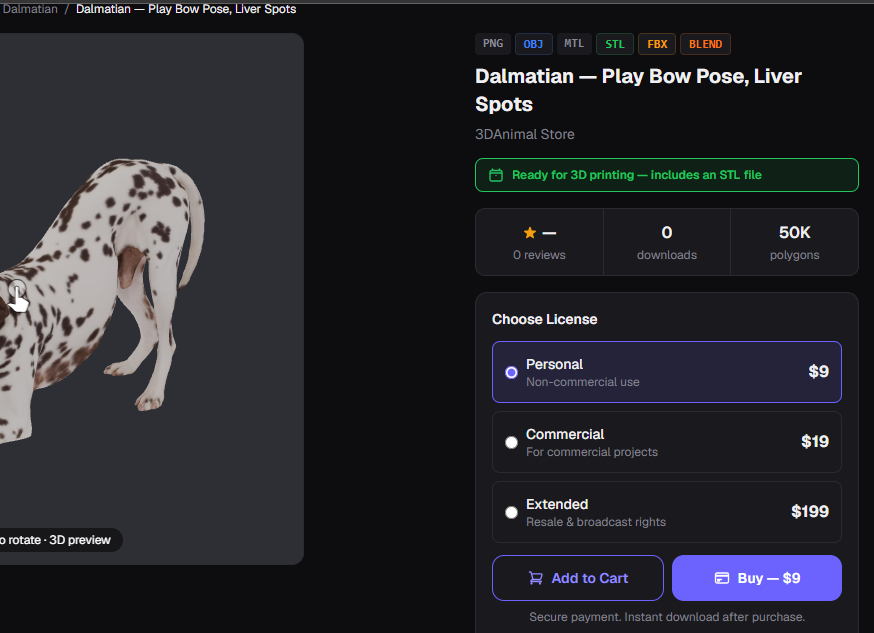
Start on the model page. Confirm the model title, preview, visible details, and price before selecting a license. The license options belong to that individual listing, so do not assume that a different model will show the same choices or price.
Select a license
The license section presents the available options and their price. Read the description under each choice, select the option that matches your intended use, then continue with Buy or add the model to the cart.
Complete checkout
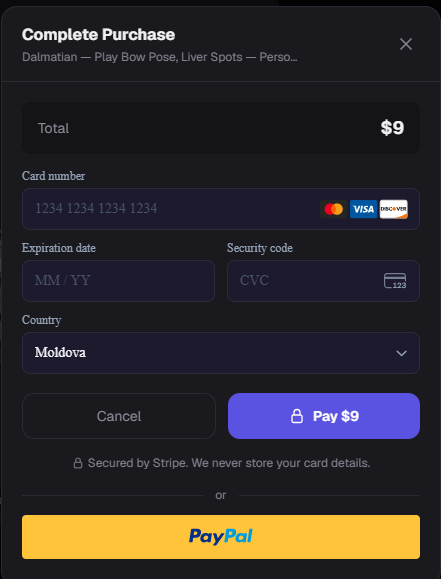
The checkout window shows the selected model, total price, payment fields, and country selector. Review the total and selected license before confirming payment. Once payment is completed, the model you purchased is available for download from your owned purchases.
Keep the process simple: verify the listing, select a displayed license, confirm the checkout total, complete payment, and then access the purchased download.